For "midbrks" collection objects, plot() visualizes and compares the breakdown of a prediction by component functions across multiple models using base R graphics.
Arguments
- x
a "midbrks" collection object to be visualized.
- type
the plotting style. One of "barplot", "dotchart", or "series".
- theme
a character string or object defining the color theme. See
color.themefor details.- terms
an optional character vector specifying which terms to display. If
NULL, terms are automatically extracted from the object.- max.nterms
the maximum number of terms to display. Defaults to 15.
- vline
logical. If
TRUE, a vertical line is drawn at the zero or intercept line.- others
a character string for the catchall label. Defaults to
"others".- pattern
a character vector of length one or two specifying the format of the axis labels. The first element is used for main effects (default
"%t = %v"), and the second is for interactions (default"%t:%t"). Use"%t"for the term name and"%v"for its value.- format.args
a named list of additional arguments passed to
formatfor formatting the values. Common arguments includedigits,nsmall, andbig.mark.- labels
an optional numeric or character vector to specify the model labels. Defaults to the labels found in the object.
- ...
optional parameters passed on to the main layer (e.g.,
geom_col).
Details
This is an S3 method for the plot() generic that evaluates the component contributions to a single prediction and compares the results across all models in the collection.
The type argument controls the visualization style:
The default, type = "barplot", creates a grouped bar plot where the bars for each term are placed side-by-side across the models.
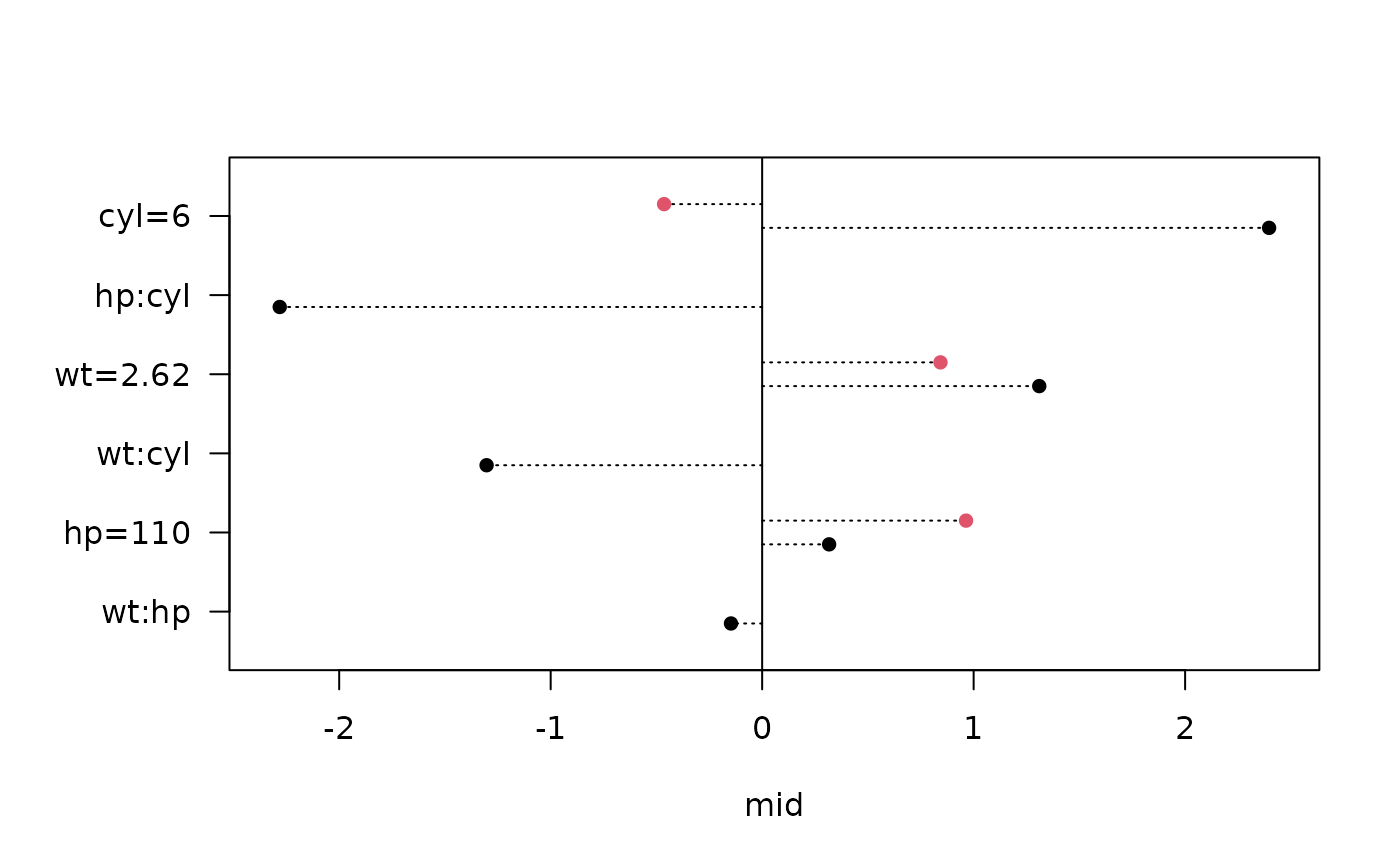
The type = "dotchart" option creates a grouped dot plot, offering a cleaner comparison across models.
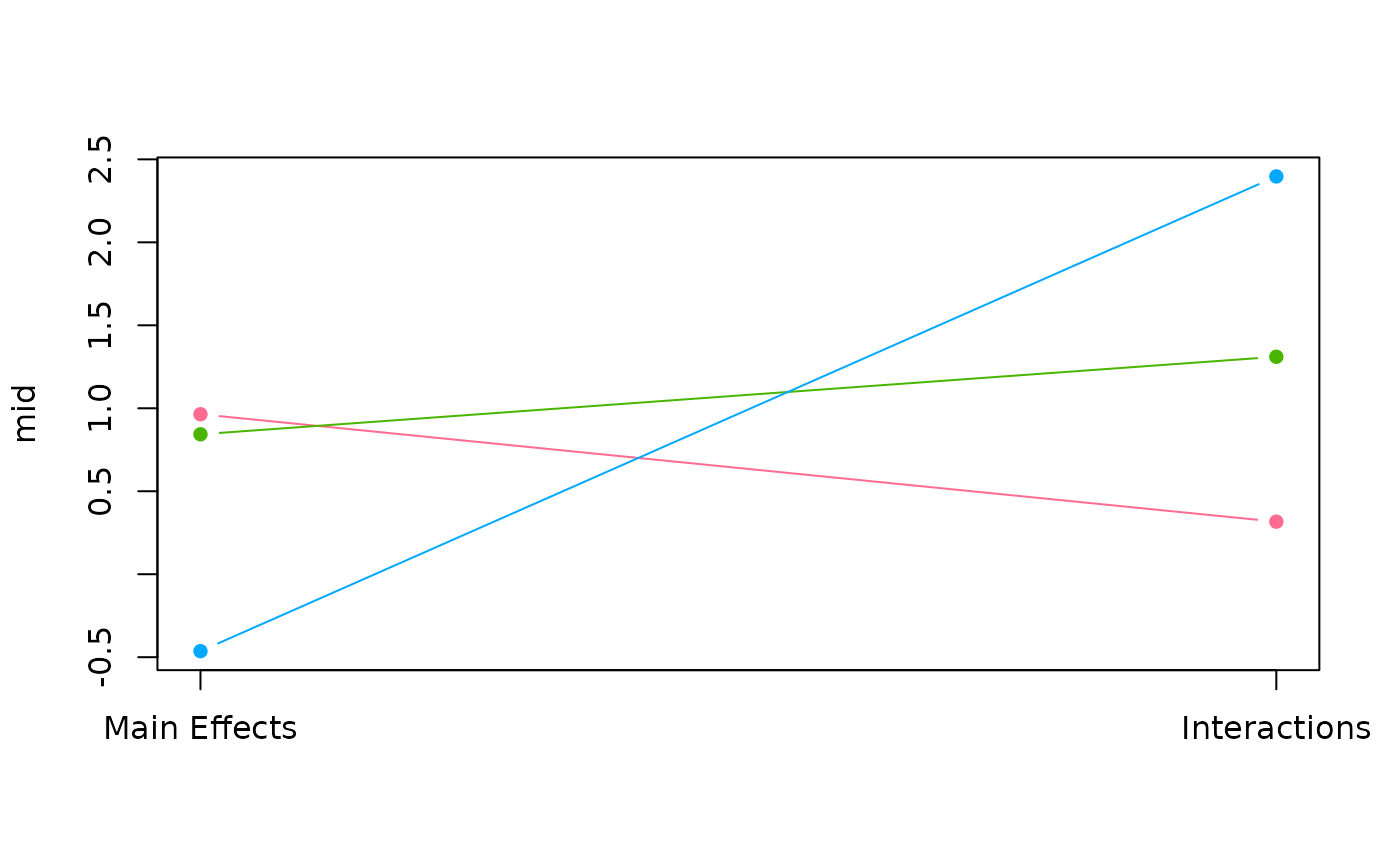
The type = "series" option plots the contribution trend over the models for each component term.
Examples
data(mtcars, package = "datasets")
# Fit two different models for comparison
mid1 <- interpret(mpg ~ wt + hp + cyl, data = mtcars)
#> 'model' not passed: response variable in 'data' is used
mid2 <- interpret(mpg ~ (wt + hp + cyl)^2, data = mtcars)
#> 'model' not passed: response variable in 'data' is used
# Calculate importance for both models and combine them
brks <- midlist(
"Main Effects" = mid.breakdown(mid1, data = mtcars[1, ]),
"Interactions" = mid.breakdown(mid2, data = mtcars[1, ])
)
# Create a comparative grouped bar plot (default)
plot(brks)
 # Create a comparative dot chart with a specific theme
plot(rev(brks), type = "dotchart", theme = "R4")
# Create a comparative dot chart with a specific theme
plot(rev(brks), type = "dotchart", theme = "R4")
 # Create a series plot to observe trends across models
plot(brks, type = "series")
# Create a series plot to observe trends across models
plot(brks, type = "series")