パッケージの概要
forcatsは、factor型のデータを取り扱うための様々な関数を提供しているパッケージです。
library (forcats)library (dplyr) # パイプ演算子(%>%)を使うために必要。statsパッケージの関数(filterなど)が上書きされる
Attaching package: 'dplyr'
The following objects are masked from 'package:stats':

    filter, lag
The following objects are masked from 'package:base':

    intersect, setdiff, setequal, union
library (ggplot2) # 利用例の説明に活用
factor型について
factor型のベクトルは、ベクトルの要素に加えて、levelsという情報を持っています。例えば、a,b,cの要素を持つcharacter型のベクトルに対して、factor関数を適用するとfactor型のベクトルが得られます。
なお、ベクトル内の要素が重複している場合、Levelsではまとめて表示されます。以下の例では、「c」が重複していますが、Levelsで表示されるcは1つだけです。
<- c ("a" , "c" , "b" , "c" )factor (x)
[1] a c b c
Levels: a b c
factor型の活用方法
factor型のlevelsは、例えば、データの可視化に活用できます。
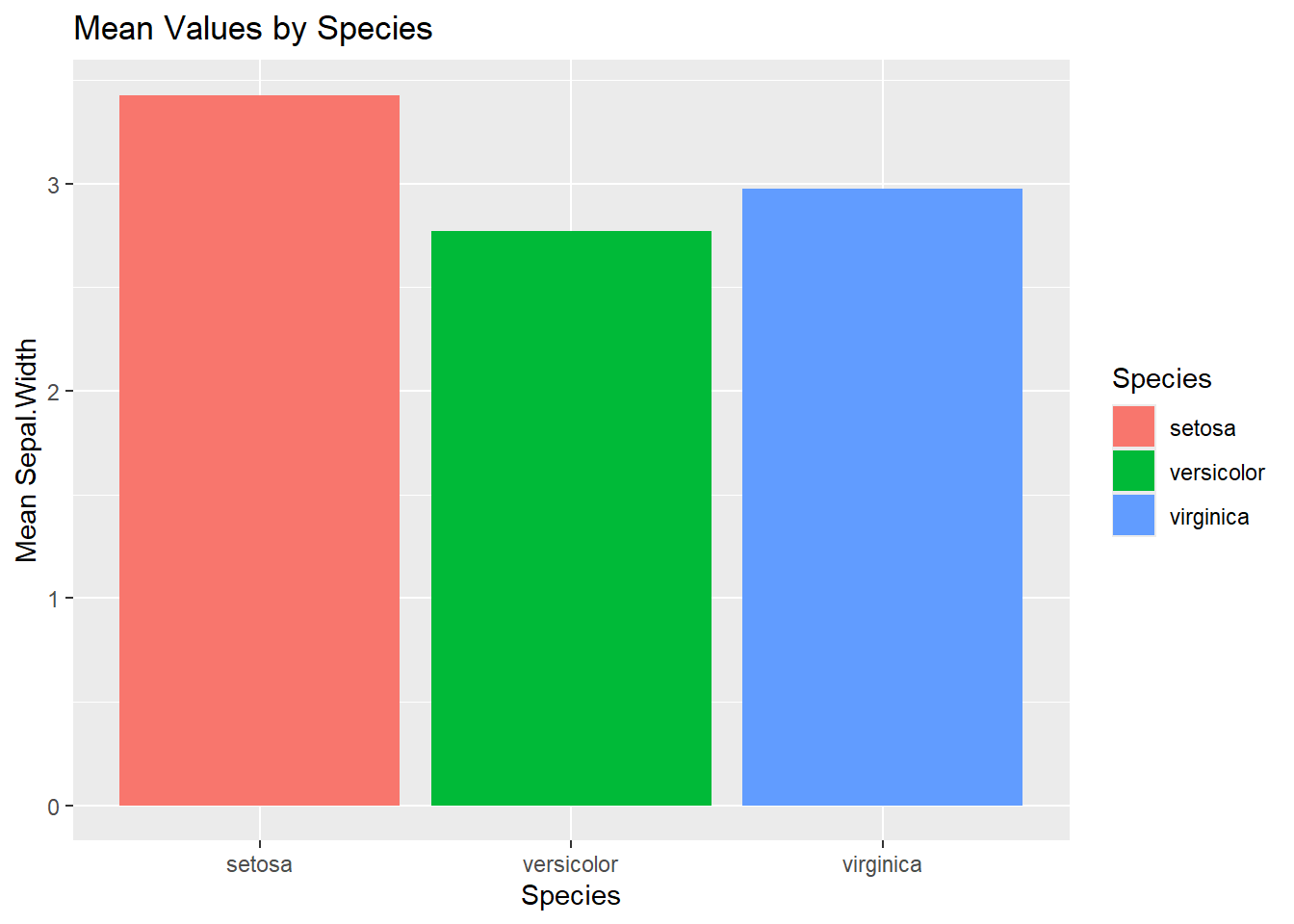
具体例を確認するために、まず、Rのiris(あやめのがく片、花弁の幅・長さに関するデータセット)を用いて、あやめの種類(Species)別のがく片の幅の平均値をmean_Sepal_Widthに格納し、その結果を棒グラフで表示します。この際、iris_mean_by_speciesのSpeciesカラムはfactor型になっていることに注意してください。
<- iris %>% group_by (Species) %>% summarise (across (everything (), mean))
# A tibble: 3 × 5
  Species    Sepal.Length Sepal.Width Petal.Length Petal.Width
  <fct>             <dbl>       <dbl>        <dbl>       <dbl>
1 setosa             5.01        3.43         1.46       0.246
2 versicolor         5.94        2.77         4.26       1.33
3 virginica          6.59        2.97         5.55       2.03
|> ggplot (aes (x = Species, y = Sepal.Width, fill = Species)) + geom_bar (stat = "identity" ) + labs (title = "Mean Values by Species" , x = "Species" , y = "Mean Sepal.Width" )
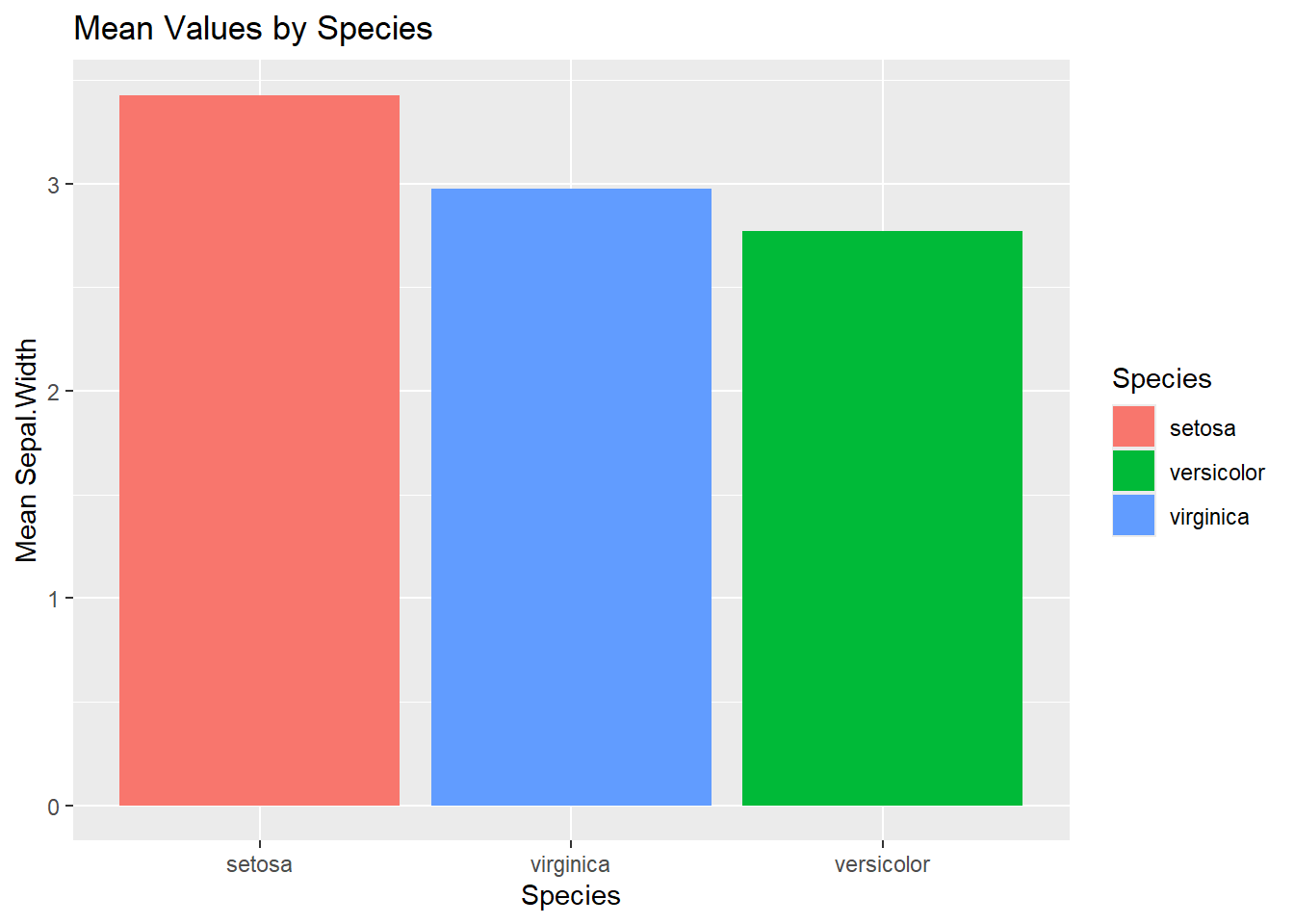
データを可視化した際、結果をSepal.Widthが大きい順(つまり、setosa、versicolor、virginicaの順)に並べたいとします。
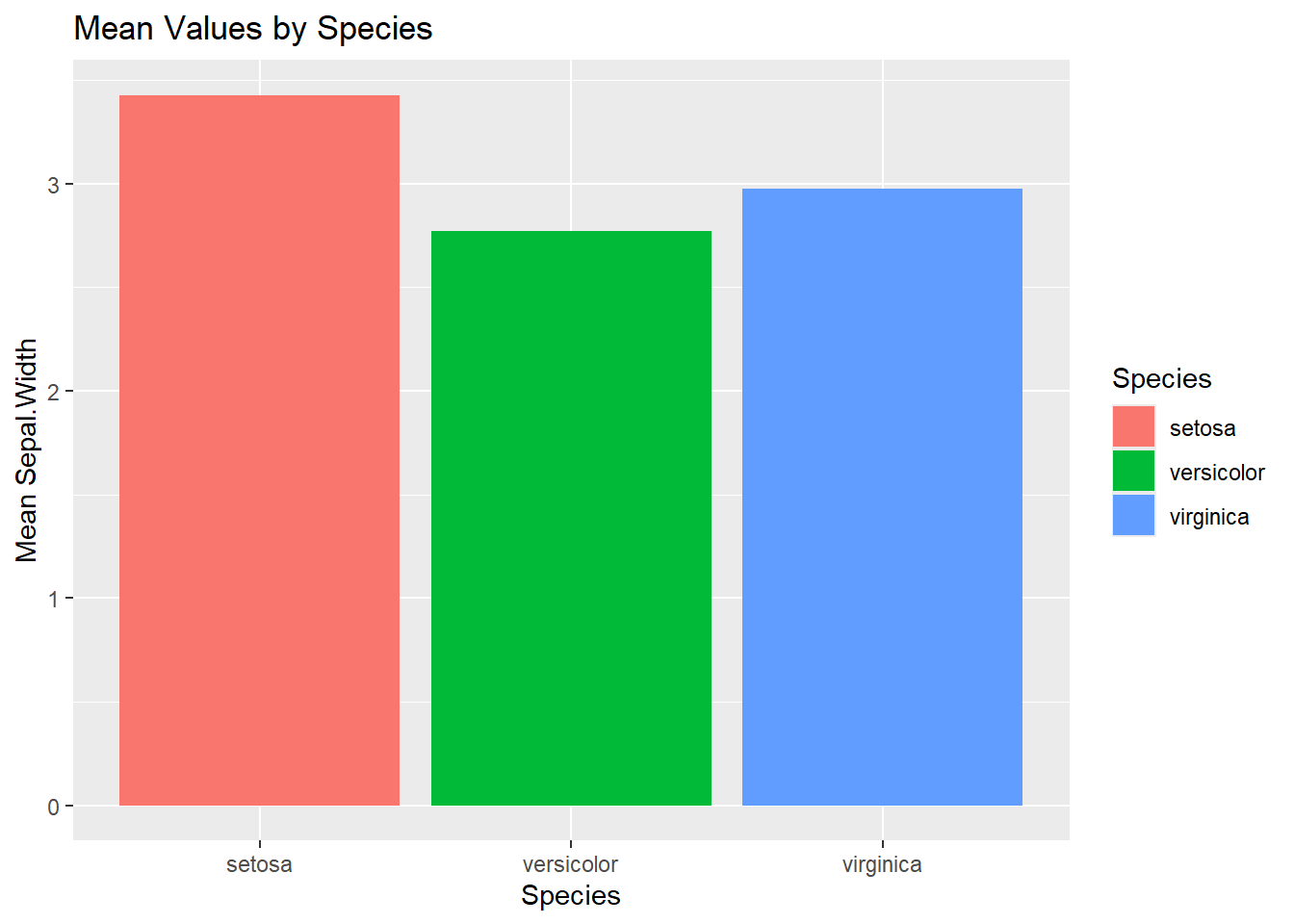
まず、可視化するデータセットをarrange関数を用いてSepal.Widthが大きい順に並べ替えた結果を表示してみます。結果のtibbleの並べ替えはできていますが、棒グラフには反映されていません。
$ Species
[1] setosa     versicolor virginica
Levels: setosa versicolor virginica
<- iris_mean_by_species %>% arrange (desc (Sepal.Width))
# A tibble: 3 × 5
  Species    Sepal.Length Sepal.Width Petal.Length Petal.Width
  <fct>             <dbl>       <dbl>        <dbl>       <dbl>
1 setosa             5.01        3.43         1.46       0.246
2 virginica          6.59        2.97         5.55       2.03
3 versicolor         5.94        2.77         4.26       1.33
|> ggplot (aes (x = Species, y = Sepal.Width, fill = Species)) + geom_bar (stat = "identity" ) + labs (title = "Mean Values by Species" , x = "Species" , y = "Mean Sepal.Width" )
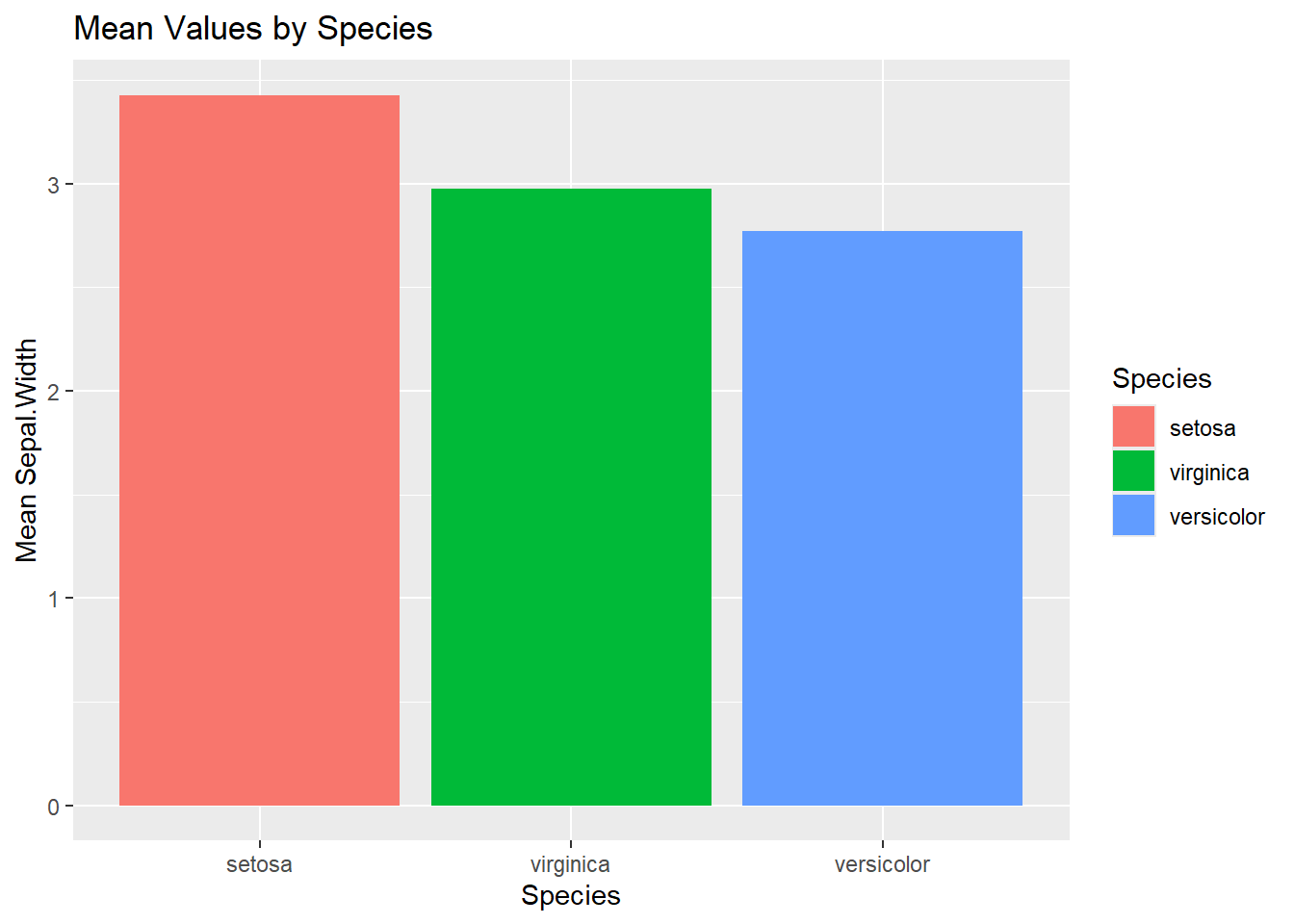
次に、iris_mean_by_speciesのSpeciesのlevelsをsetosa、virginica、verscolorの順番に変更した後に棒グラフを作成すると、結果がSepal.Widthが大きい順番に表示されていることが確認できます。
levelsの変更に利用したfct_relevel関数は、forcatsパッケージの関数で指定した順番でlevelsを設定できます。なお、全ての要素を指定する必要はありません。(指定しなかった要素は後ろに回されます)
<- iris_mean_by_species$ Species <- desc_iris_mean_by_species_2$ Species %>% fct_relevel ("setosa" , "virginica" )
# A tibble: 3 × 5
  Species    Sepal.Length Sepal.Width Petal.Length Petal.Width
  <fct>             <dbl>       <dbl>        <dbl>       <dbl>
1 setosa             5.01        3.43         1.46       0.246
2 versicolor         5.94        2.77         4.26       1.33
3 virginica          6.59        2.97         5.55       2.03
%>% ggplot (aes (x = Species, y = Sepal.Width, fill = Species)) + geom_bar (stat = "identity" ) + labs (title = "Mean Values by Species" , x = "Species" , y = "Mean Sepal.Width" )
factor型のlevelsの順序を変更する関数
forcatsパッケージには、factor型のlevelsの順序を変更する関数が提供されています。以下で、いくつか利用例を示します。
fct_infreq関数は、登場頻度が多い要素の順番にlevelsを整理します。
<- factor (c ("c" , "c" , "a" ))
fct_inorder関数は、要素の登場した順番でlevelsを整理します。
<- factor (c ("b" , "a" ))
fct_rev関数は、levelsを反転させます。
<- factor (c ("a" , "b" , "c" ))
fct_shift関数は、levelsをずらします。デフォルトでは、levelsが1つ左にずれます(最初のlevelsは最後に回ります)が、引数で指定することで、ずれる大きさを変更可能です。また、引数に負の値を指定した場合は右にずれます。
<- factor (c ("a" , "b" , "c" , "d" ))
[1] a b c d
Levels: a b c d
[1] a b c d
Levels: b c d a
[1] a b c d
Levels: c d a b
[1] a b c d
Levels: d a b c
fct_reorder関数は、他の変数を使って、levelsを並べ替えることが可能です。
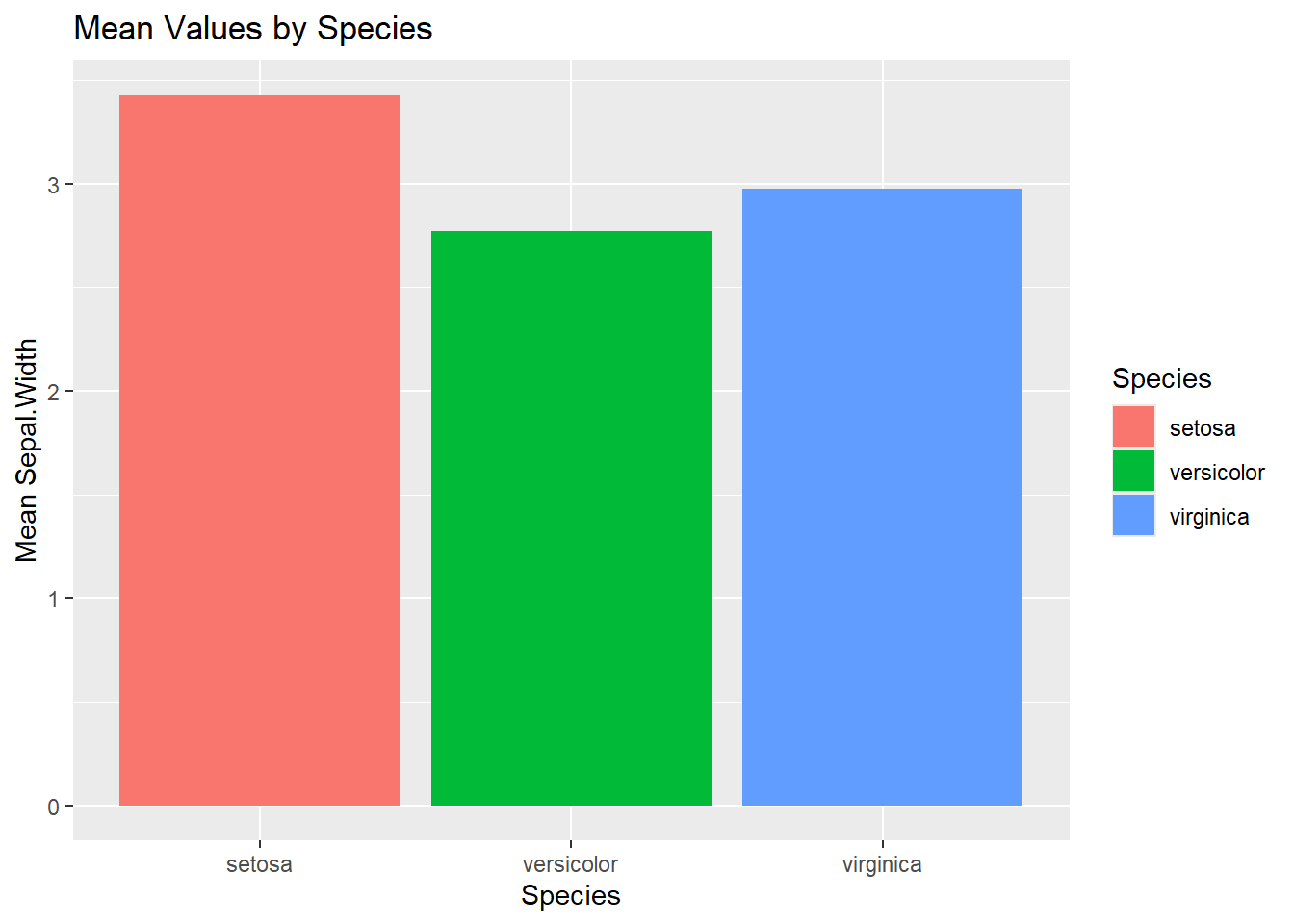
factor型の活用方法で実施した「Sepal.Widthの平均値が大きい順に並べ替える」対応をfct_reorder関数で実施するには、以下のように記載します。
fct_reorder(Species, Sepal.Width, .fun = mean, .desc = TRUE)は、SpeciesのlevelsをSepal.Widthの平均値で変更しています。デフォルトは昇順ですが、「.desc = TRUE」と指定すると降順となります。
%>% ggplot (aes (x = Species, y = Sepal.Width, fill = Species)) + geom_bar (stat = "identity" ) + labs (title = "Mean Values by Species" , x = "Species" , y = "Mean Sepal.Width" )%>% ggplot (aes (x = fct_reorder (Species, Sepal.Width, .fun = mean, .desc = TRUE ), y = Sepal.Width, fill = Species)) + geom_bar (stat = "identity" ) + labs (title = "Mean Values by Species" , x = "Species" , y = "Mean Sepal.Width" )